

Want to start selling merch on your WordPress™ website? It’s easy with the Dashery Store Widget! This simple step-by-step guide will help you embed your merch shelf and bring your Dashery products directly to your audience.
Disclaimer: Dashery is not affiliated with, endorsed by, or sponsored by WordPress. Any references to WordPress are for informational purposes only.
What is the Dashery Store Widget?
The Store Widget is a compact, visually engaging embed that displays the first 8 products from your Dashery store. It's easy to add, auto-updates when you upload new designs to Dashery or change your merch order, and provides a slick browsing experience for your visitors. When someone clicks on a product, they’re taken directly to your Dashery store in a new tab.
⚠️ Before You Begin
Before getting started, please take a moment to review your WordPress subscription. The Dashery Store Widget uses an HTML iframe element, which is only supported on specific WordPress subscription tiers.
If your current plan supports iframe elements, you’re good to go!
Follow These Steps to Add the Widget:
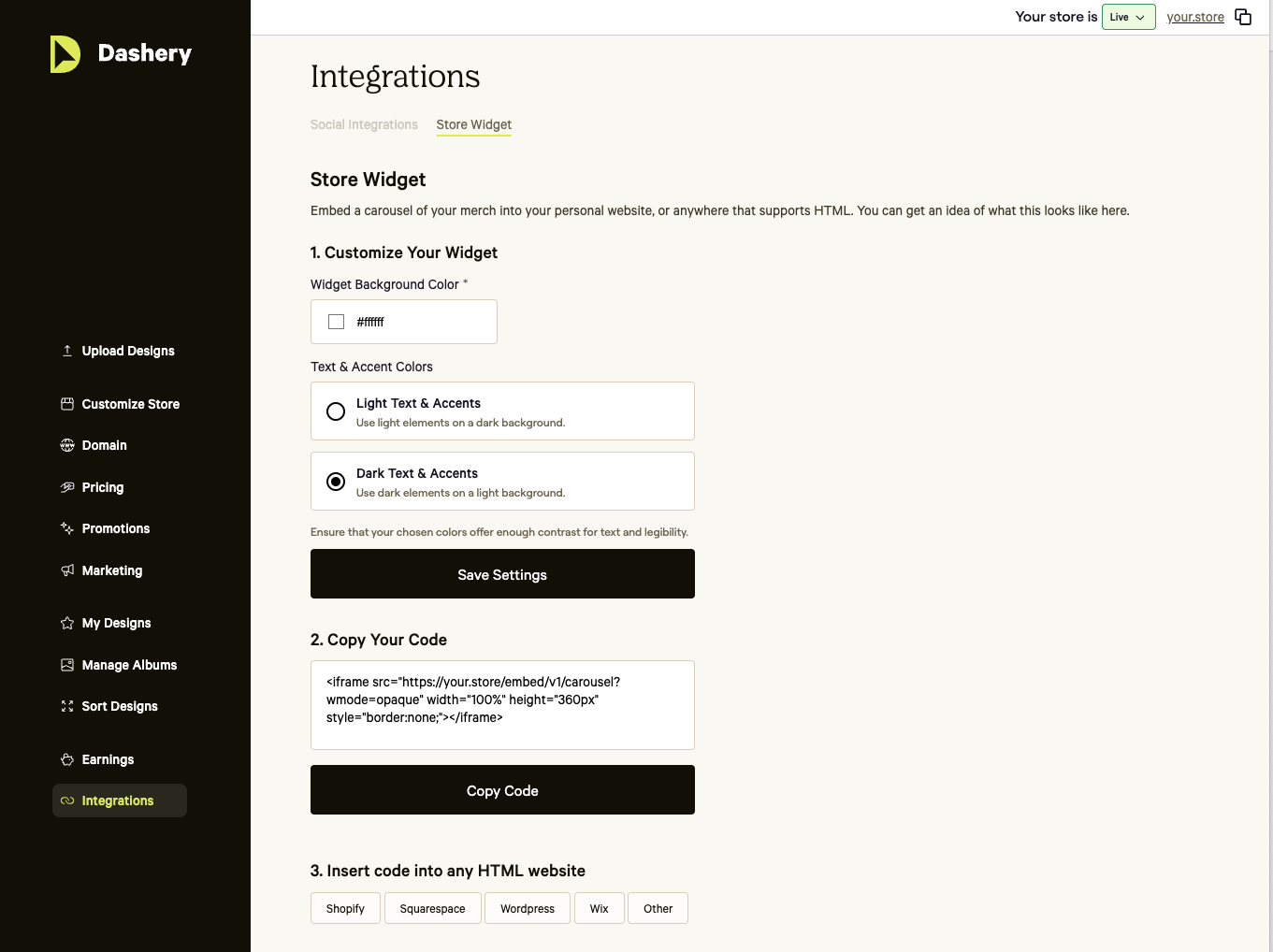
1. Visit Your Dashery Store Admin Page
Go to https://admin.dashery.com and log in to your Dashery account.
2. Copy Your Embed Code
In the left-hand menu, click “Integrations”, then open the “Store Widget” tab.
Scroll to the “Copy your Code” section and click the “Copy Code” button.
3. Open the WordPress Page Editor
Navigate to the page or post where you’d like the Dashery Store Widget to appear.
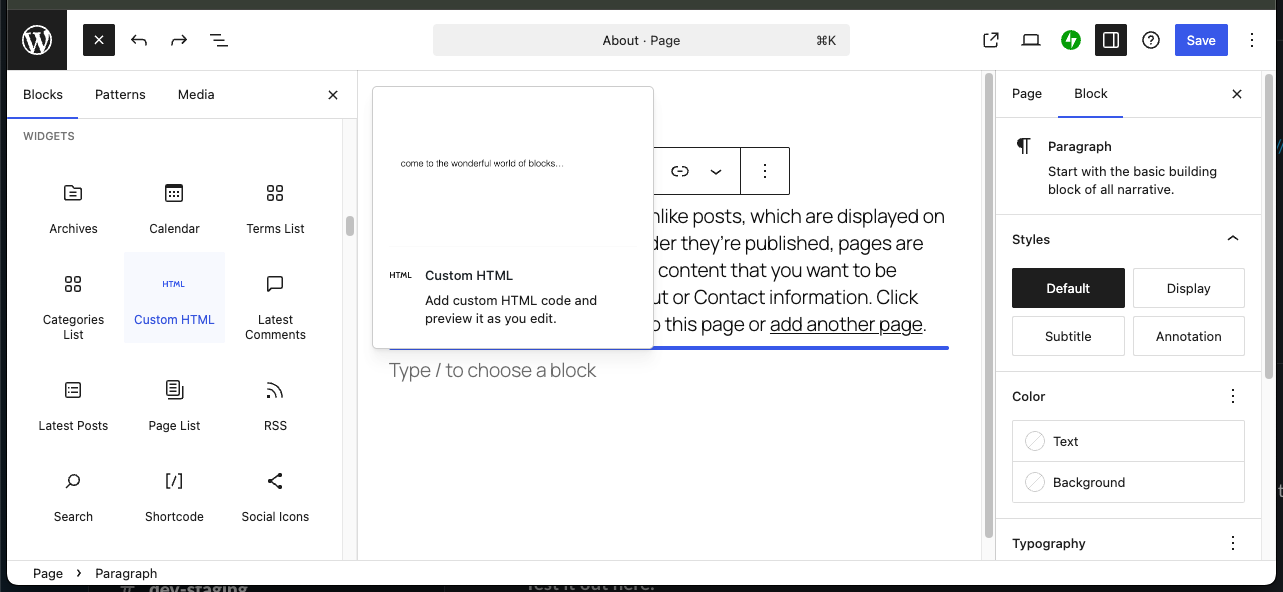
4. Add a “Custom HTML” Block
Click the “+” button to add a new block, then search for and select “Custom HTML.”
5. Paste the Embed Code
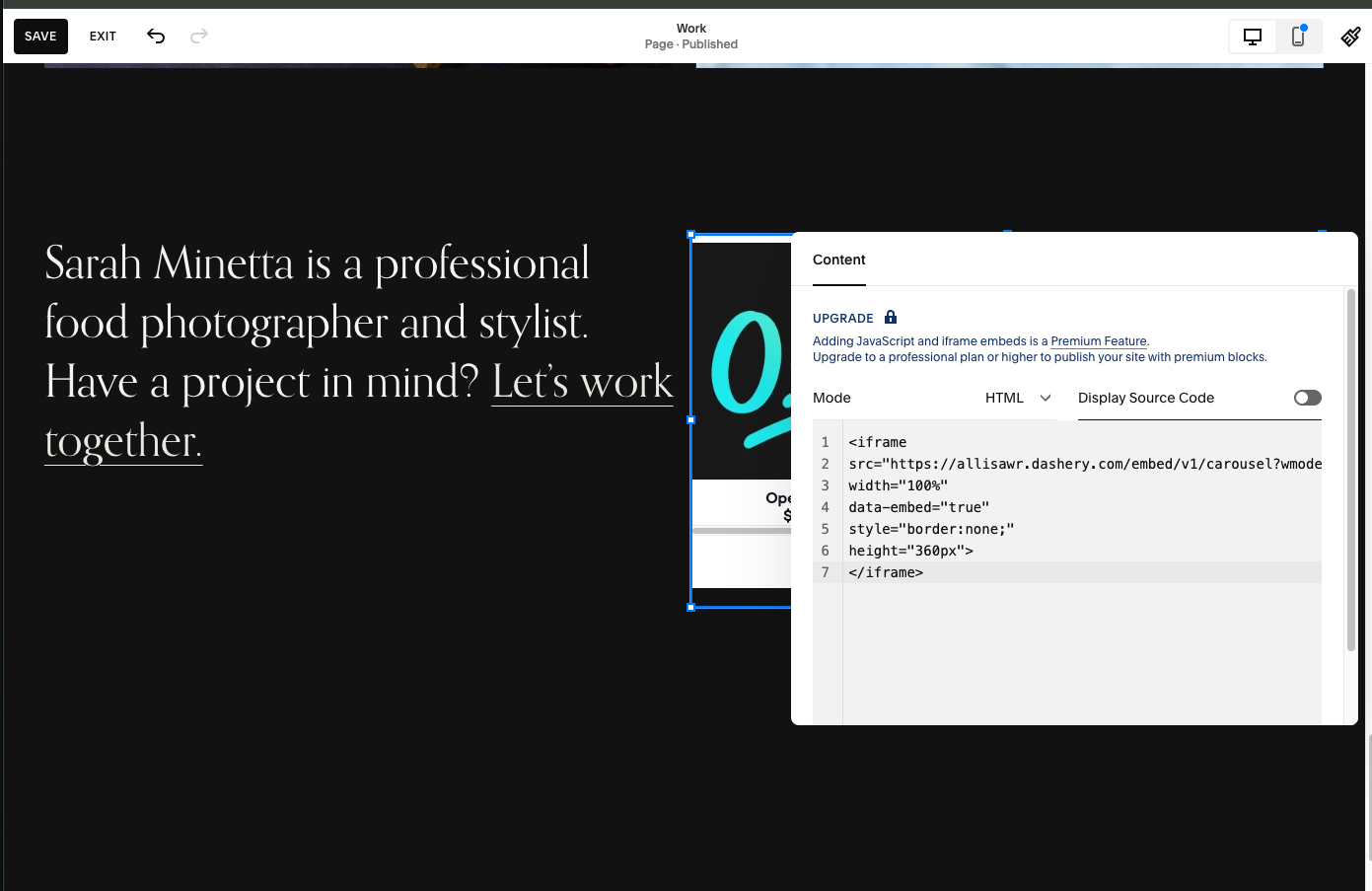
Paste the Dashery Store Widget embed code into the Custom HTML field.
🎉 That’s it!
Your Dashery Store Widget is now live on your WordPress site. It will automatically showcase the first 8 products in your store and update whenever you add new designs or change your product order.
Need to customize the look and feel? Return to the Store Widget settings in your Dashery dashboard to update background, text, and accent colors to match your site’s style.
